Tất cả bài viếtBlog
Aesthetic Google Calendar Color Code: Sage & Plum
Elevate Your Google Calendar Aesthetic
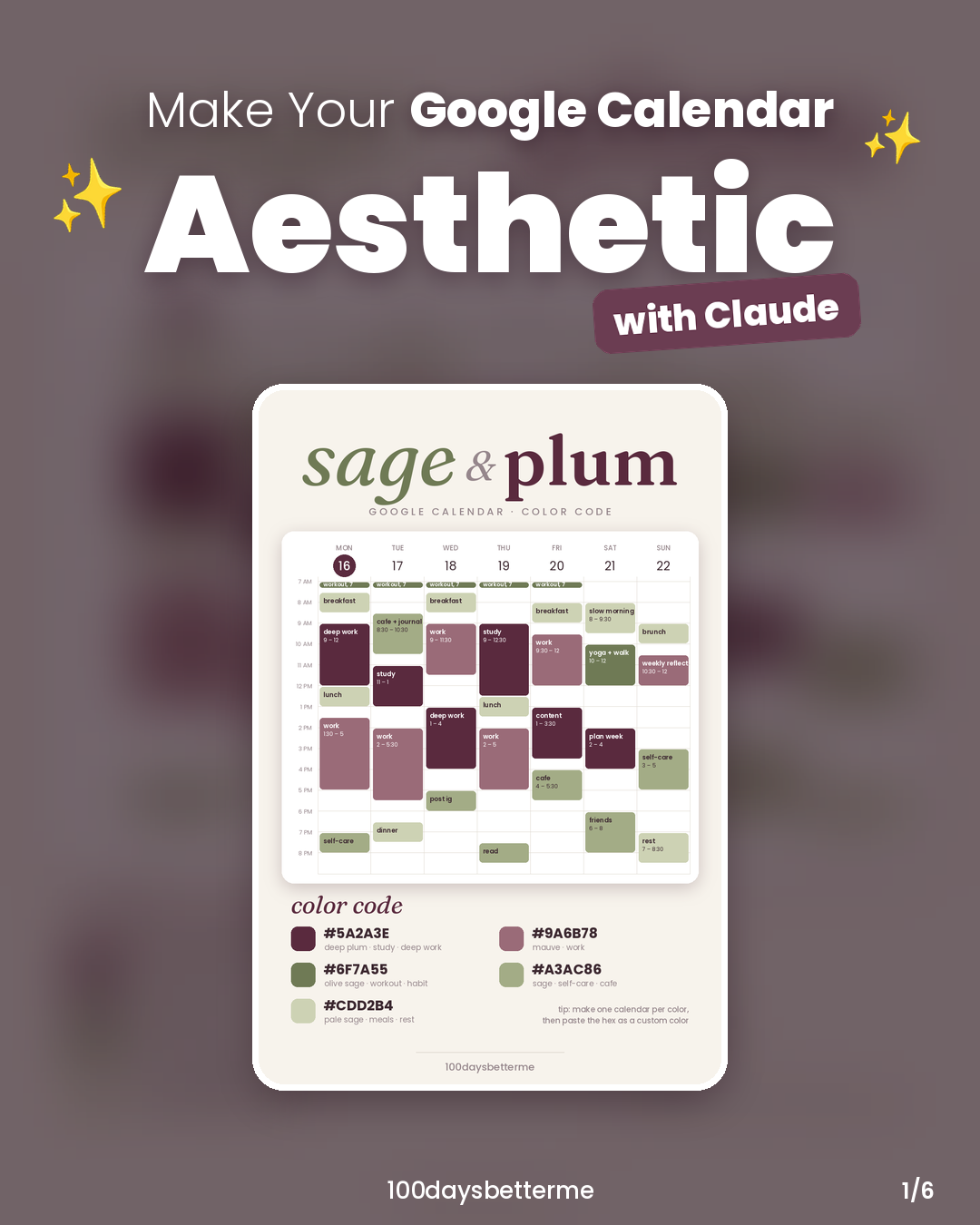
Creating a visually appealing calendar can enhance your productivity and make planning more enjoyable. Using the Sage & Plum color palette, you can easily customize your Google Calendar to reflect your style.
Steps to Customize Your Calendar
- Find a Color Palette: Start by exploring platforms like Pinterest to discover a variety of aesthetic color palettes. The Sage & Plum palette features soft greens and deep purples, perfect for a calming yet stylish look.
- Connect Claude to Google Calendar: Utilize Claude's capabilities to integrate with your Google Calendar. This will streamline the process of adding events and color coding them.
- Get Your Hex Codes: Send the selected palette to Claude and retrieve the hex codes. For Sage & Plum, the codes are:
- Sage:
#A2B2A2 - Plum:
#9A3C86 - Accent Colors:
#6F7A55,#CDDB24
- Sage:
- Create Individual Calendars: Take just a couple of minutes to create separate calendars for each color in the palette. This will help you visually distinguish between different types of events.
- Schedule Your Events: Once your calendars are set up, paste your schedule into Claude and let it add each event with the appropriate color coding.
The Benefits of an Aesthetic Calendar
Having an aesthetically pleasing calendar can not only improve your mood but also enhance your organizational skills. When your calendar looks good, it can motivate you to keep it updated and use it regularly. Plus, it adds a personal touch that reflects your unique style.
What’s Next?
Once you’ve tried the Sage & Plum palette, why not experiment with other combinations? There are countless palettes to explore, so feel free to switch things up! Which palette should we try next? Let us know your thoughts below!
- #aestheticcalendar
- #googlecalendar
- #aiproductivity
- #digitalplanner
- #100daysbetterme